Fundamentals of Computer Operations
[ Bpharm (Bachelor of Pharmacy) ]
Under Class: | 2nd Semester (Bpharm) |
Fundamentals of Computer Operations - Question Papers, Lecture Notes, Study Material Download PDF
Pharmacy - Bachelor of Pharmacy (Bpharm) - 2nd Semester - 1st Year - Name of Subject: Fundamentals of Computer Operations (BP212P SEC3) - Lecture Notes, Study Material, Question Papers Download PDF
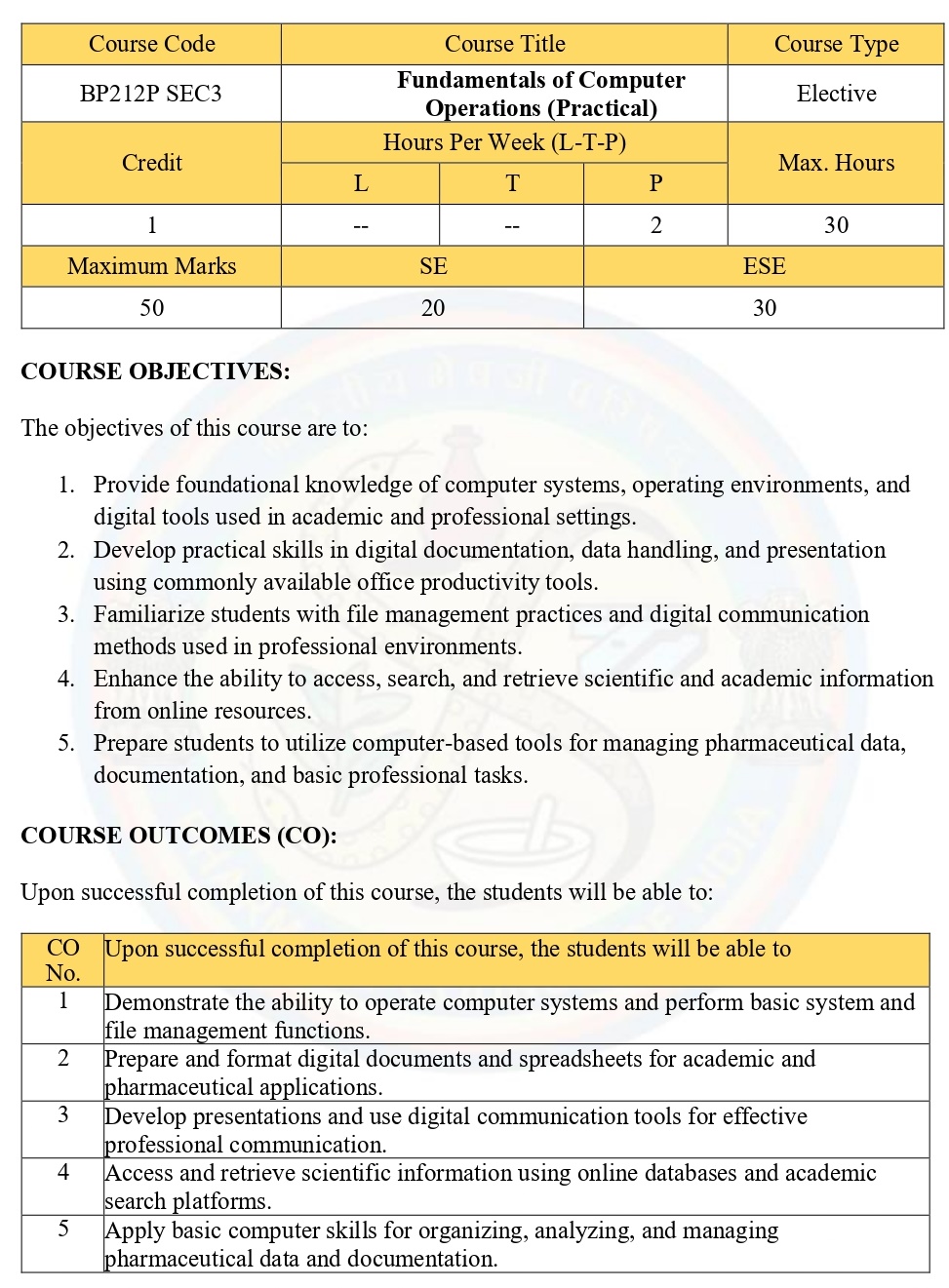
BP212P : SEC3
Fundamentals of
Computer Operations (Practical) - Elective
COURSE OBJECTIVES:
The objectives of
this course are to:
1. Provide
foundational knowledge of computer systems, operating environments, and digital
tools used in academic and professional settings.
2. Develop practical
skills in digital documentation, data handling, and presentation using commonly
available office productivity tools.
3. Familiarize
students with file management practices and digital communication methods used
in professional environments.
4. Enhance the
ability to access, search, and retrieve scientific and academic information
from online resources.
5. Prepare students
to utilize computer-based tools for managing pharmaceutical data,
documentation, and basic professional tasks.
COURSE OUTCOMES
(CO):
Upon successful
completion of this course, the students will be able to:
1. Demonstrate the
ability to operate computer systems and perform basic system and file management
functions.
2. Prepare and format
digital documents and spreadsheets for academic and pharmaceutical
applications.
3. Develop
presentations and use digital communication tools for effective professional
communication.
4. Access and
retrieve scientific information using online databases and academic search
platforms.
5. Apply basic
computer skills for organizing, analyzing, and managing pharmaceutical data and
documentation.
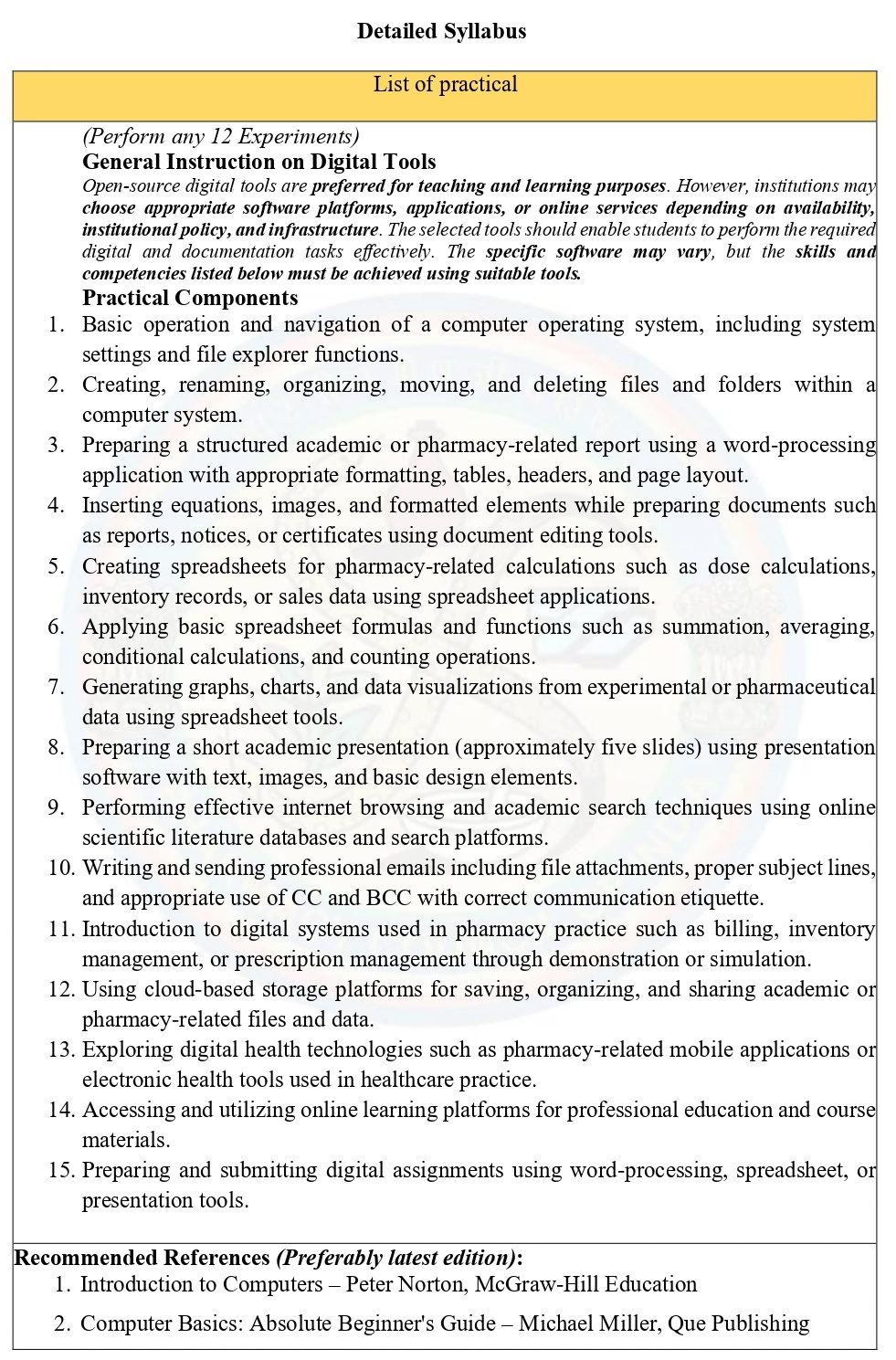
Detailed Syllabus
List of practical
(Perform any 12
Experiments)
General Instruction
on Digital Tools
Open-source digital
tools are preferred for teaching and learning purposes. However,
institutions may choose appropriate software platforms, applications, or online
services depending on availability, institutional policy, and infrastructure.
The selected tools should enable students to perform the required digital and
documentation tasks effectively. The specific software may vary, but the
skills and competencies listed below must be achieved using suitable tools.
Practical Components
1. Basic operation
and navigation of a computer operating system, including system settings and
file explorer functions.
2. Creating,
renaming, organizing, moving, and deleting files and folders within a computer
system.
3. Preparing a
structured academic or pharmacy-related report using a word-processing
application with appropriate formatting, tables, headers, and page layout.
4. Inserting
equations, images, and formatted elements while preparing documents such as
reports, notices, or certificates using document editing tools.
5. Creating
spreadsheets for pharmacy-related calculations such as dose calculations,
inventory records, or sales data using spreadsheet applications.
6. Applying basic
spreadsheet formulas and functions such as summation, averaging, conditional
calculations, and counting operations.
7. Generating graphs,
charts, and data visualizations from experimental or pharmaceutical data using
spreadsheet tools.
8. Preparing a short
academic presentation (approximately five slides) using presentation software
with text, images, and basic design elements.
9. Performing
effective internet browsing and academic search techniques using online
scientific literature databases and search platforms.
10. Writing and
sending professional emails including file attachments, proper subject lines,
and appropriate use of CC and BCC with correct communication etiquette.
11. Introduction to
digital systems used in pharmacy practice such as billing, inventory
management, or prescription management through demonstration or simulation.
12. Using cloud-based
storage platforms for saving, organizing, and sharing academic or
pharmacy-related files and data.
13. Exploring digital
health technologies such as pharmacy-related mobile applications or electronic
health tools used in healthcare practice.
14. Accessing and
utilizing online learning platforms for professional education and course
materials.
15. Preparing and
submitting digital assignments using word-processing, spreadsheet, or
presentation tools.
Recommended
References (Preferably latest edition):
1. Introduction to
Computers – Peter Norton, McGraw-Hill Education
2. Computer Basics:
Absolute Beginner's Guide – Michael Miller, Que Publishing